Combat automation for D&D 5E and 5.5E
Run D&D 5E combat without the math.
Warfront is a virtual tabletop (VTT) that works out the rules for you. You call the shots and roll the dice. Attack rolls, damage, saves, spells, conditions, cover and monster turns are worked out on the map, with the reason shown on every roll, so you can keep telling the story.
No account for the demo. The trial is 14 days with no card. Players always join free.
Attacks that know the rules
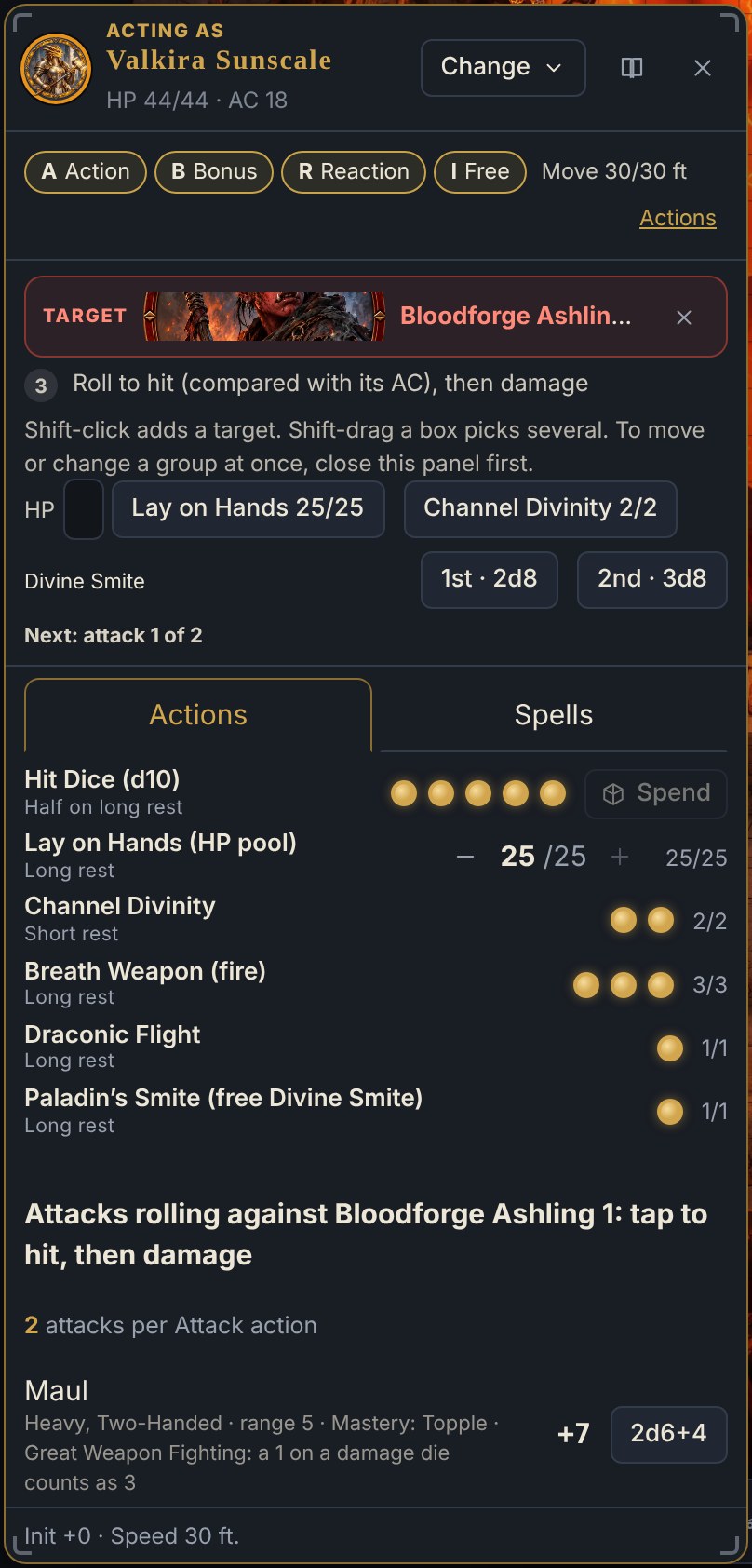
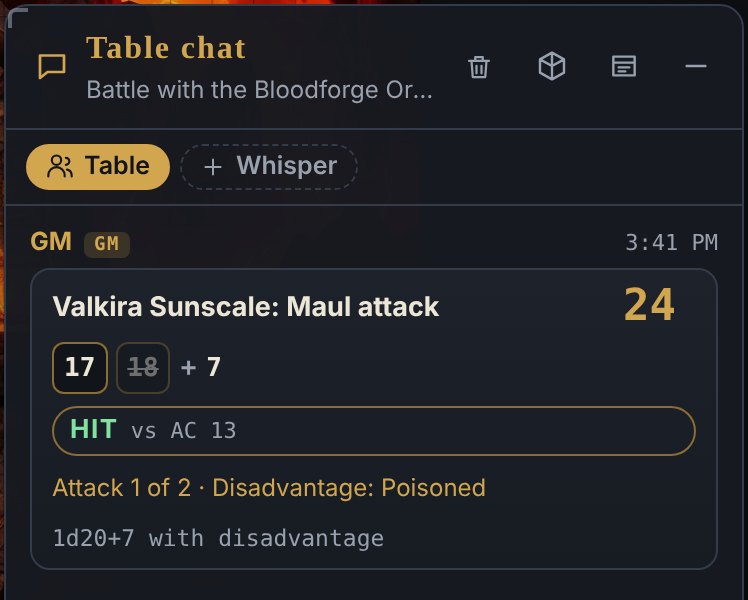
Pick a target. Warfront checks the roll.
Roll to hit and Warfront compares the total with the target's AC, applies advantage, disadvantage and cover, and shows the reason on the card. Then it applies the damage, resistances and death saves.
- Conditions, cover and critical hits worked out and explained on every roll
- Action, bonus action, reaction and movement tracking, with opportunity attacks and reaction prompts
- Every automatic result can be undone
- Every rule has a switch in Combat helpers. You are always the GM.
What Warfront works out
The parts of 5E combat that slow a table down.
Attack rolls and damage
Hit or miss against AC, advantage and disadvantage, cover, critical hits, then damage with resistances, vulnerabilities and immunities applied.
Saving throws
Set the save, the DC and the damage type, then roll the saves for a whole group at once. Or ask your players to roll their own.
Spells and concentration
Spell effects apply and expire on the map, with concentration checks when a caster is hit. Spells in the Hero dock can put their area on the map with one tap.
Area effects
Drop a sphere, cube, cone, line or emanation. Warfront finds everyone inside, rolls the saves, rolls the damage once and halves it where the save succeeds.
Monster turns
One-press monster turns, including Multiattack, legendary actions and lair actions, so the Game Master spends less time on bookkeeping.
Conditions and death saves
Conditions are tracked on the token and explained on the roll they change. Death saves run when a hero drops to zero.
Drop the shape. Warfront does the saves and the damage.
Fireball, finished in four clicks.
Place the area on the map, set the save and the damage, and roll once. Every creature in the area gets its save and takes the right amount, halved where the save succeeds. Areas can last for rounds or minutes and can be hidden from players.
Know before you roll
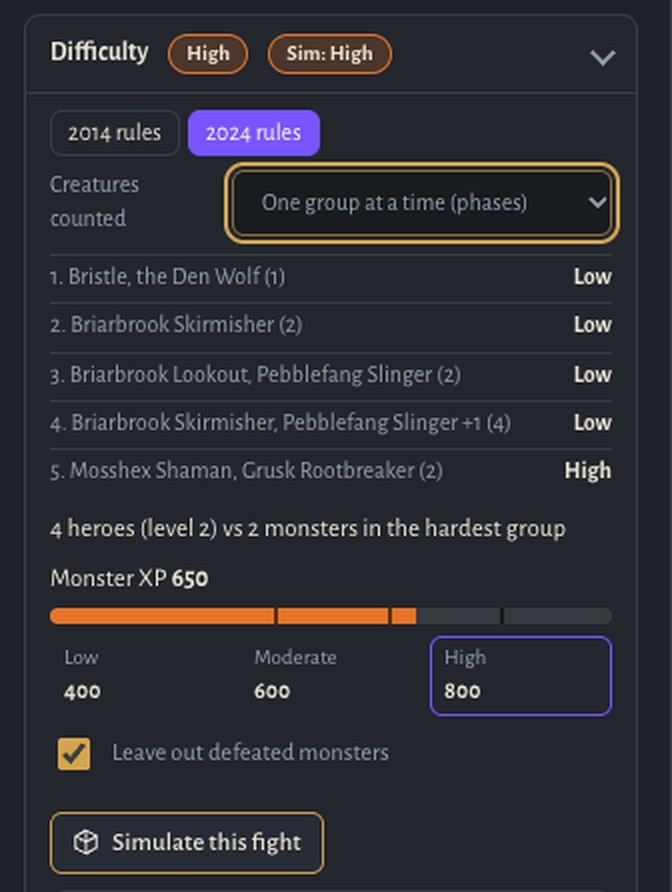
How hard is this fight, really?
Build an encounter and a difficulty badge appears, rated group by group. Switch between the 2014 and 2024 guides, then use Simulate this fight to play the encounter out hundreds of times with your heroes' sheets, spells and hit points. Only the Game Master sees it.
It is a guide, not a promise: terrain, tactics and clever play still change the fight.
Questions Game Masters ask
Combat automation, answered.
Does Warfront roll the dice for me?
You roll the dice, in the app or at the table, and Warfront works out what the roll means: whether it hits, how much damage it does, who makes the save and what changes on the map.
Which D&D rules does it use?
You pick the 2014 or 2024 rules for each table. Built-in content comes from the System Reference Documents 5.1 and 5.2.1. Anything outside the SRD is yours to add as homebrew.
Can I turn the automation off?
Yes. Every rule has its own switch in Combat helpers, and every decision stays yours. Results that change another creature go to the Game Master to confirm.
Can I use my own maps and tokens?
Yes. Warfront is a tool, not a content store. Bring your own maps, tokens, encounters and house rules, or use the free Eldervane maps and tokens.
Is it free for my players?
Players always join free with a single link. Game Masters start with a 14-day free trial, no card required.
See the rules run
A ready-made fight in your browser. No account. About a minute.